


.
- sir magic

- Mar 31
- 2 min read
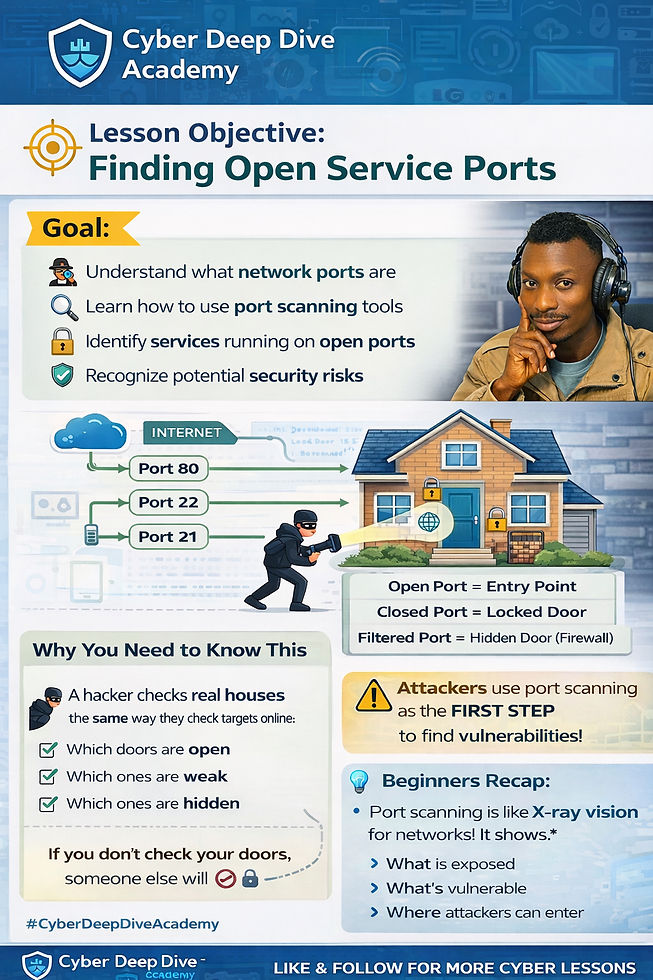
🎯 Lesson Objective: Finding Open Service Ports
By the end of this lesson, students will be able to:
Understand what network ports are and how they function
Use a port scanning tool (like Nmap) to detect open ports on a system
Identify running services behind those ports (e.g., HTTP, FTP, SSH)
Recognize how attackers use port scanning during reconnaissance
Interpret scan results to determine potential security risks
🧠 Why You NEED to Know This (Beginner Perspective)
Think of a computer like a house.
Each port = a door or window
Some doors are open (services running)
Some are closed (no access)
Some are hidden but unlocked (filtered or misconfigured)
👉 A hacker doesn’t break walls first…
They walk around the house checking:
Which doors are open
Which ones are weak
Which ones no one is watching
That’s exactly what port scanning does.
🔍 Cybersecurity Analogy (Simple Infographic Style)
[ INTERNET ] ---> [ YOUR SYSTEM ]
Port 80 (HTTP) → Web server running 🌐
Port 22 (SSH) → Remote access 🔑
Port 21 (FTP) → File transfer 📂
Open Port = Entry Point
Closed Port = Locked Door
Filtered Port = Hidden Door (Firewall)
🚨 Why This Matters in Real Life
Attackers use port scanning as the FIRST STEP in hacking
Open ports expose services that may have vulnerabilities
Misconfigured ports can lead to:
Unauthorized access
Data breaches
Remote control of systems
🛡️ From a Defender’s Mindset
As a cybersecurity professional, you must:
Know what ports are open on your systems
Close unnecessary ports
Monitor suspicious scanning activity
Harden exposed services
👉 If you don’t check your doors, someone else will.
💡 Beginner Takeaway
Port scanning is like network X-ray vision.
It shows what is exposed, what is vulnerable, and where attackers will strike.

Comments